Standard Time® vs QuickBooks Time

QuickBooks Time tracks hours on a phone. Standard Time® tracks hours, jobs, barcodes, work orders, and costs — and feeds it all directly into QuickBooks. Here's why manufacturers need more than a time-tracking app.

See ST Pricing ← All Comparisons
The short answer: If you run a shop floor and need barcode scanning, WIP dashboards, job costing, and time tracking — Standard Time® gives you all of it for $8.99/user/month, including QuickBooks integration. QuickBooks Time is a mobile time-tracking app built for service businesses and field crews. It has no barcode scanning, no WIP displays, and no work order tracking at any price.

Standard Time® — Best for

  • Job shops & contract manufacturers
  • Discrete & process manufacturing
  • Teams that scan barcodes on the shop floor
  • Operations running QuickBooks already
  • Companies that need job costing
  • Shops paying too much for time-tracking add-ons

QuickBooks Time — Better when you need

  • GPS tracking for mobile or field workers
  • Simple clock-in / clock-out for any business
  • Shift scheduling for service teams
  • Payroll sync with QuickBooks Online
  • No shop floor or manufacturing requirements

Pricing — Standard Time® Wins Here Too

Standard Time® is cheaper per user — and includes every shop-floor feature in the base price.

Pricing bar chart: Standard Time $8.99/user vs QuickBooks Time $10-$14/user for 10-person team
Plan Base Fee Per User / Mo What's included
Standard Time® Pro $8.99 All features — barcode scanning, WIP dashboards, job costing, Gantt charts, AI scheduling, QuickBooks integration
Standard Time® Enterprise Contact us Everything in Pro + dedicated server, multi-site coordination
QuickBooks Time Basic $20/mo + $8 Time tracking, GPS, scheduling, QuickBooks sync — no barcode scanning or shop-floor features
QuickBooks Time Premium $40/mo + $10 Adds project tracking, geofencing, timesheet signatures — still no manufacturing or barcode features
Real-world cost for a 10-person shop: Standard Time® Pro = $89.90/month with full shop-floor capability. QuickBooks Time Basic = $100/month ($20 base + $80 users). QuickBooks Time Premium = $140/month — for time tracking only, with no barcode scanning, no WIP dashboards, and no job costing. ST is cheaper and does more.

Feature Comparison

The shop-floor features that manufacturers depend on — and which product actually has them.

Feature matrix comparing Standard Time and QuickBooks Time manufacturing capabilities

Standard Time® Strengths

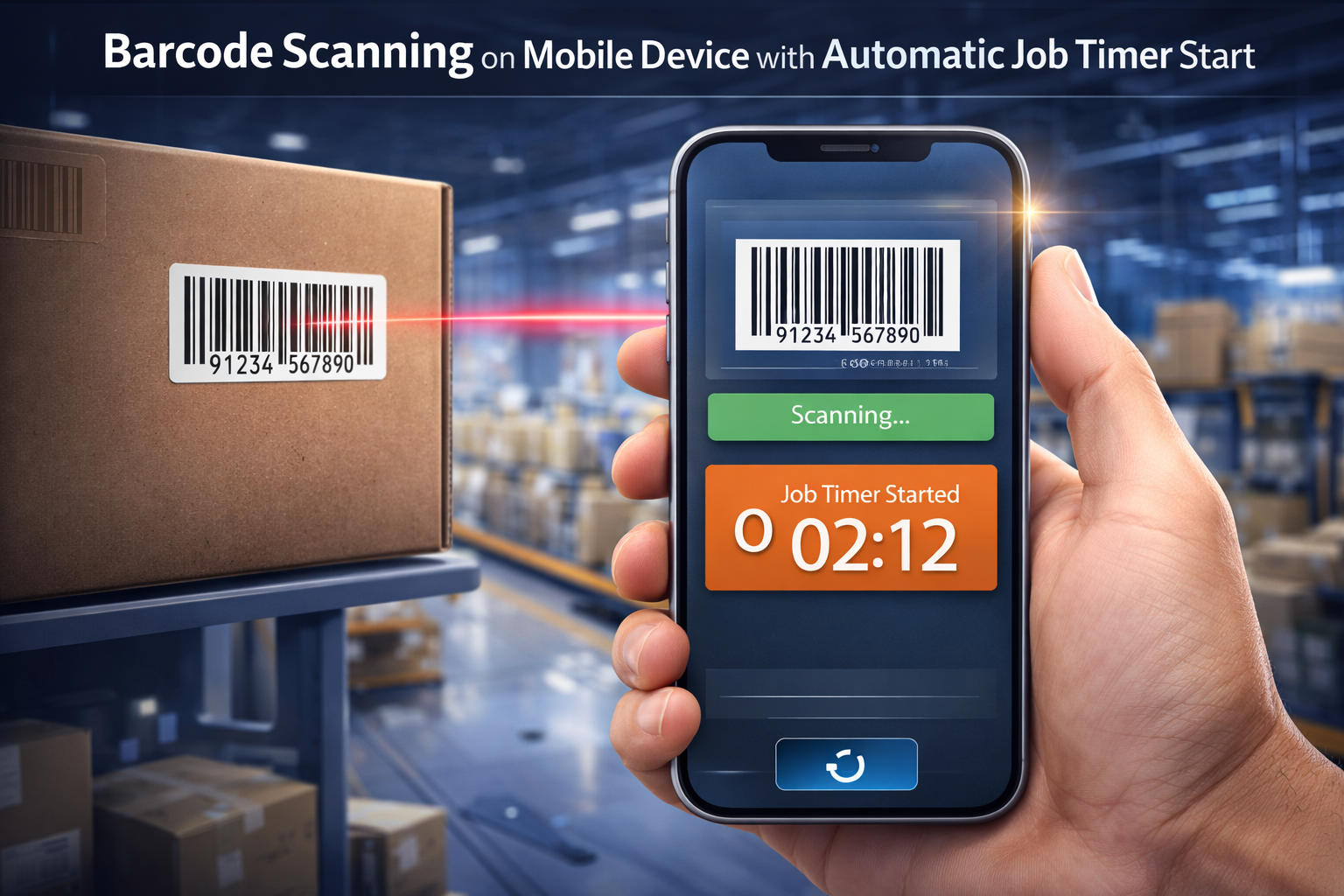
Barcode scanning on mobile device
Deep Barcode Scanning

1D barcodes, QR codes, tap-to-start, speech recognition, and camera scanning — out of the box, no add-on required.

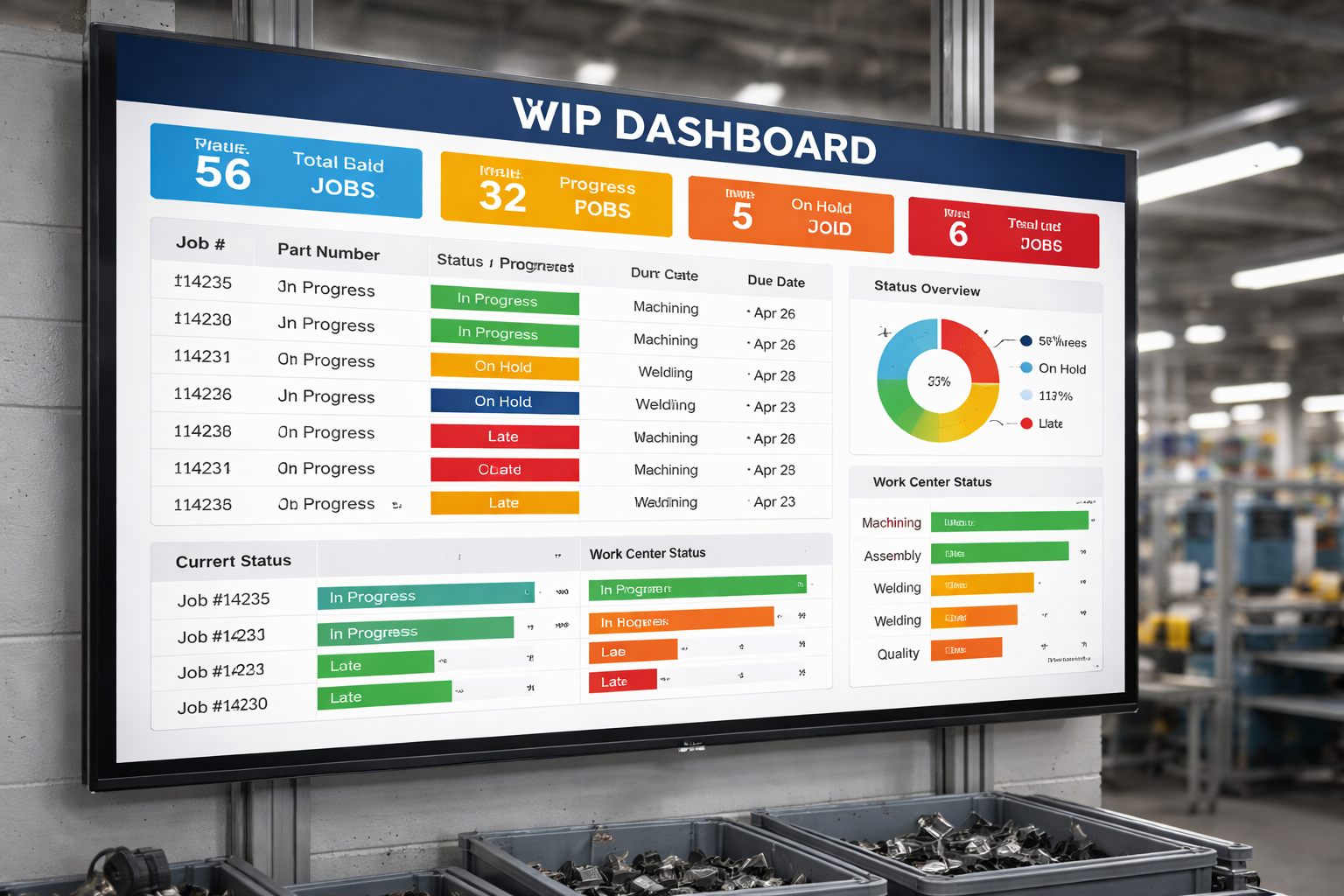
WIP dashboard on large wall display
WIP Dashboards Built for the Shop Floor

Live job status, employee activity, and KPI data displayed on wall-mounted screens. QuickBooks Time has no equivalent.

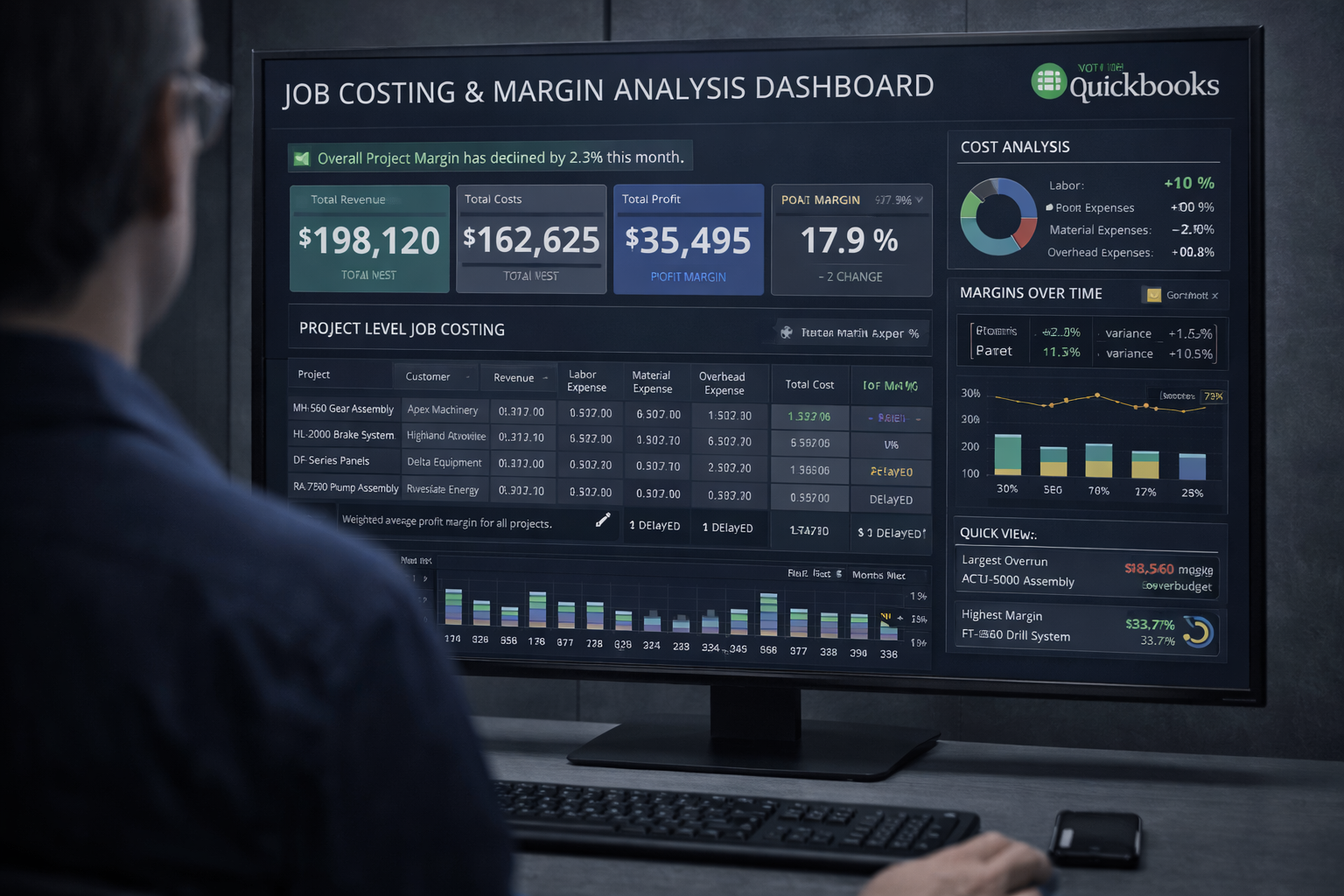
Job costing dashboard
Job Costing & QuickBooks Integration

Actual labor cost flows from barcode scans into job cost reports and syncs to QuickBooks — automatically, at no extra cost.

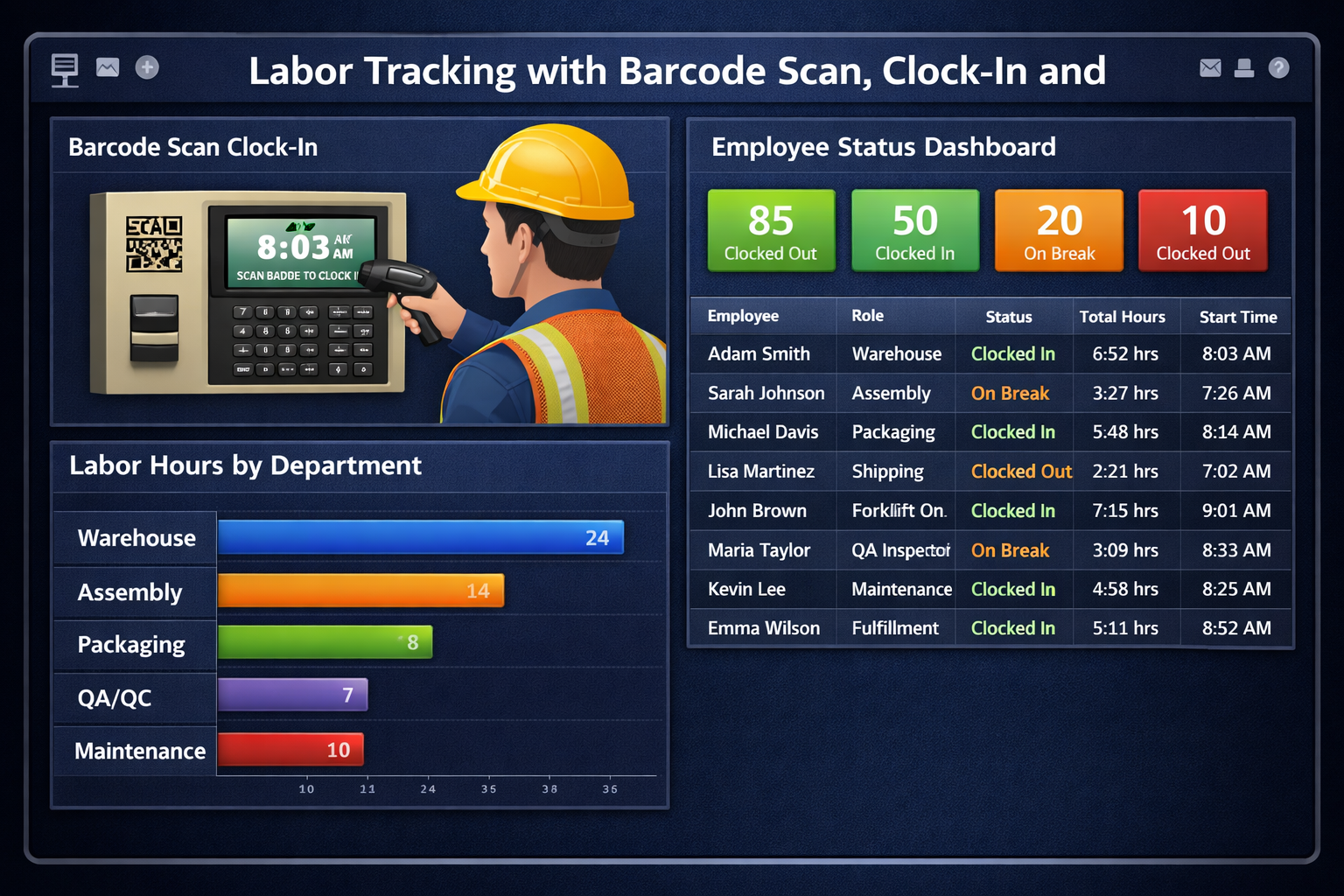
Labor tracking dashboard
Work Order & Labor Tracking

Time logs are tied to specific work orders and tasks — not just generic job codes. Know exactly where every hour went.

Where QuickBooks Time Has Breadth

  • GPS location tracking for field workers
  • Geofenced automatic clock-in / clock-out
  • Crew time management for service teams
  • Shift scheduling & availability tracking
  • Mileage tracking
  • Payroll approval workflow
  • Tight integration with QuickBooks payroll
The tradeoff: QuickBooks Time is excellent for construction crews, landscapers, home service companies, and any business where employees work offsite with phones. It's not built for shop floors — there's no scan-to-start, no WIP display, no work order tracking. Manufacturers paying for QBT are paying for features they don't need while missing features they do.

Scan a Barcode. Start a Timer. No Keyboard Needed.

Point any phone, tablet, or notebook camera at a barcode or QR code — or tap an RFID tag — and the timer starts instantly. This is the core of how Standard Time® works on the shop floor, and it's a capability QuickBooks Time simply doesn't have.

Starting a job timer by scan

Standard Time scan barcodes screen — timer started for work order 10200, Weld operation

Scan the employee barcode, then the work order — the timer starts immediately. The screen confirms: Started: Work Order 10200, Weld. No typing, no menus, no delays.

Stopping the timer

Standard Time scan barcodes screen — timer stopped for employee Buzz

Scan STOP and the timer stops. The screen confirms Timer stopped for Buzz. The time log is written — ready for job costing and QuickBooks sync.

What Standard Time® Can Scan

  • Employee ID barcodes (username)
  • Work order / job number labels
  • Task labels (Weld, Inspect, Fabricate…)
  • STOP barcode to end any timer
  • Inventory items (INV-SUB, INV-ADD, INV-BUILD)
  • Custom barcodes with Barcode Rules

Camera capture — use the on-board camera on any phone, tablet, or notebook to scan 1D barcodes and QR codes. No dedicated scanner hardware required.

RFID — tap an RFID tag to start or stop a timer. Attach tags to employee badges, work order travelers, or tool stations.

Voice recognition — speak the job number and the scanner hears it.

QuickBooks Time Has No Barcode Scanning

QuickBooks Time does not support barcode scanner input for shop floor time entry. Employees must manually:

  • Open the app on a phone or computer
  • Tap to select a job or customer
  • Tap again to start a timer
  • Repeat for every employee, every job change

On a busy shop floor with 20+ employees switching jobs throughout the day, manual clock-in creates data gaps, delays, and inaccurate job costs.

Time Logs That Actually Support Job Costing

Every barcode scan creates a time log entry tied to a specific work order and task — giving you the data you need for accurate job costing.

Time logs by work order

Standard Time time logs view showing start/stop times by work order and employee

Every time log shows the work order, task, start time, stop time, actual hours, and employee — grouped by job. Work order 10200 shows Weld and Bending time broken out by day and worker.

Weekly timesheet by project

Standard Time weekly timesheet showing hours per work order and task across the week

The timesheet view breaks down every hour by work order and task across the week — 38.45 hours total across multiple jobs. This is exactly what job costing requires.

QuickBooks Time vs Standard Time® — the data difference: QuickBooks Time shows total hours per employee and optionally per job code. Standard Time® shows hours by work order, task, employee, and day — with start/stop timestamps from barcode scans. The difference matters for job costing: knowing "Ray spent 16 hours on Work Order 10200" tells you the labor cost of that specific job.

What You're Operational On After Setup

Both products are quick to set up — the difference is what you can actually do afterward.

Day 1 capabilities: Standard Time full shop floor vs QuickBooks Time basic time tracking only

Standard Time® Setup

  1. Sign up and create your account
  2. Add users and assign employee barcodes
  3. Create work orders and print job labels
  4. Mount a scan station (tablet or PC)
  5. First scan — timers and job costing are live

Live in under one day. Barcode scanning, WIP dashboards, and QuickBooks sync all running.

QuickBooks Time Setup

  1. Create an Intuit account and subscribe
  2. Add employees and assign job codes
  3. Connect to QuickBooks Online
  4. Employees install mobile app
  5. Clock-in/clock-out is live

Setup is quick — but you're live on basic time tracking only. For barcode scanning, WIP dashboards, or job costing, QBT can't help regardless of how long you wait.

Built for Your Shop — Not for Every Business

Standard Time® was designed specifically for manufacturers. QuickBooks Time was designed for anyone who needs to track employee time.

Standard Time purpose-built for manufacturing vs QuickBooks Time general time tracking

QuickBooks Time is a solid product for what it does: mobile clock-in, GPS tracking, and QuickBooks payroll sync. If you run a lawn care company, a cleaning service, or a construction crew, it's a reasonable choice.

But manufacturers are running a different operation. You have work orders with multiple operations. You have employees switching tasks throughout the day. You need to know the actual labor cost of Job #10200 — not just that Ray worked 8 hours. You need a barcode scan to start a timer, not an employee opening an app and tapping a job code on their phone.

Standard Time® was built for exactly that environment. Barcode scanning, WIP dashboards, and job costing aren't features bolted on later — they're the core reason the software exists. And because it already integrates with QuickBooks Online, you don't need QBT at all. You're not replacing your accounting workflow — you're enhancing it.

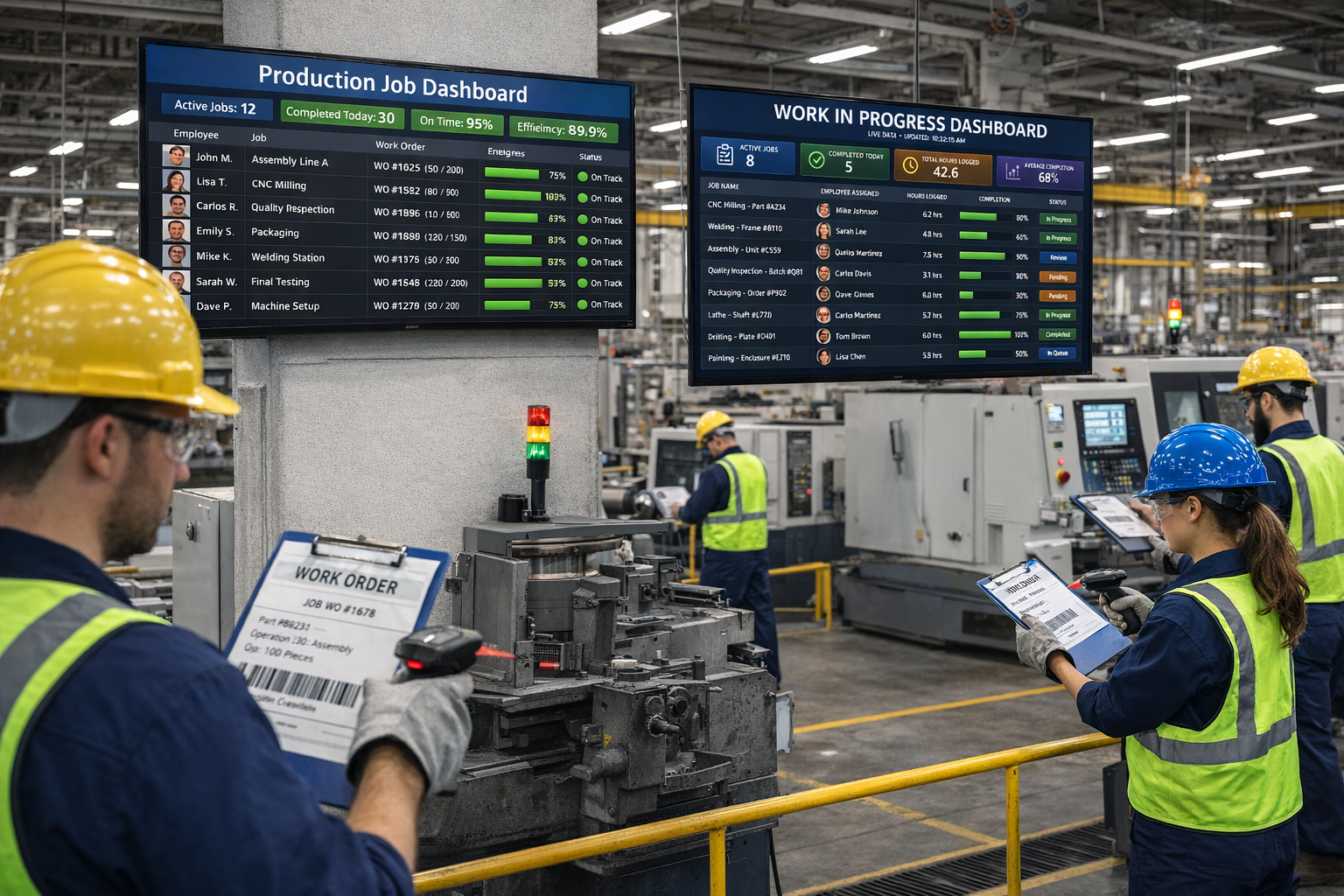
Manufacturing shop floor with barcode scanning and real-time dashboards

Which One Should You Choose?

🏭

Choose Standard Time® if you…

  • Run a job shop, fab shop, or factory
  • Want barcode scanning on the floor
  • Need job costing tied to work orders
  • Want WIP dashboards on big screens
  • Already use QuickBooks and want full integration
  • Want to pay less than $10/user/month
Start Free Trial
📱

Consider QuickBooks Time if you…

  • Have a mobile workforce in the field
  • Need GPS tracking and geofencing
  • Only need basic payroll time sync
  • Don't have a shop floor or work orders
  • Have no barcode scanning requirements
  • Already pay for QuickBooks Payroll
Talk to Our Team

Ready to Replace Your Time-Tracker With the Real Thing?

Standard Time® Pro is $8.99/user/month — barcode scanning, WIP dashboards, job costing, and QuickBooks integration included.

See Pricing & Plans Ask a Question