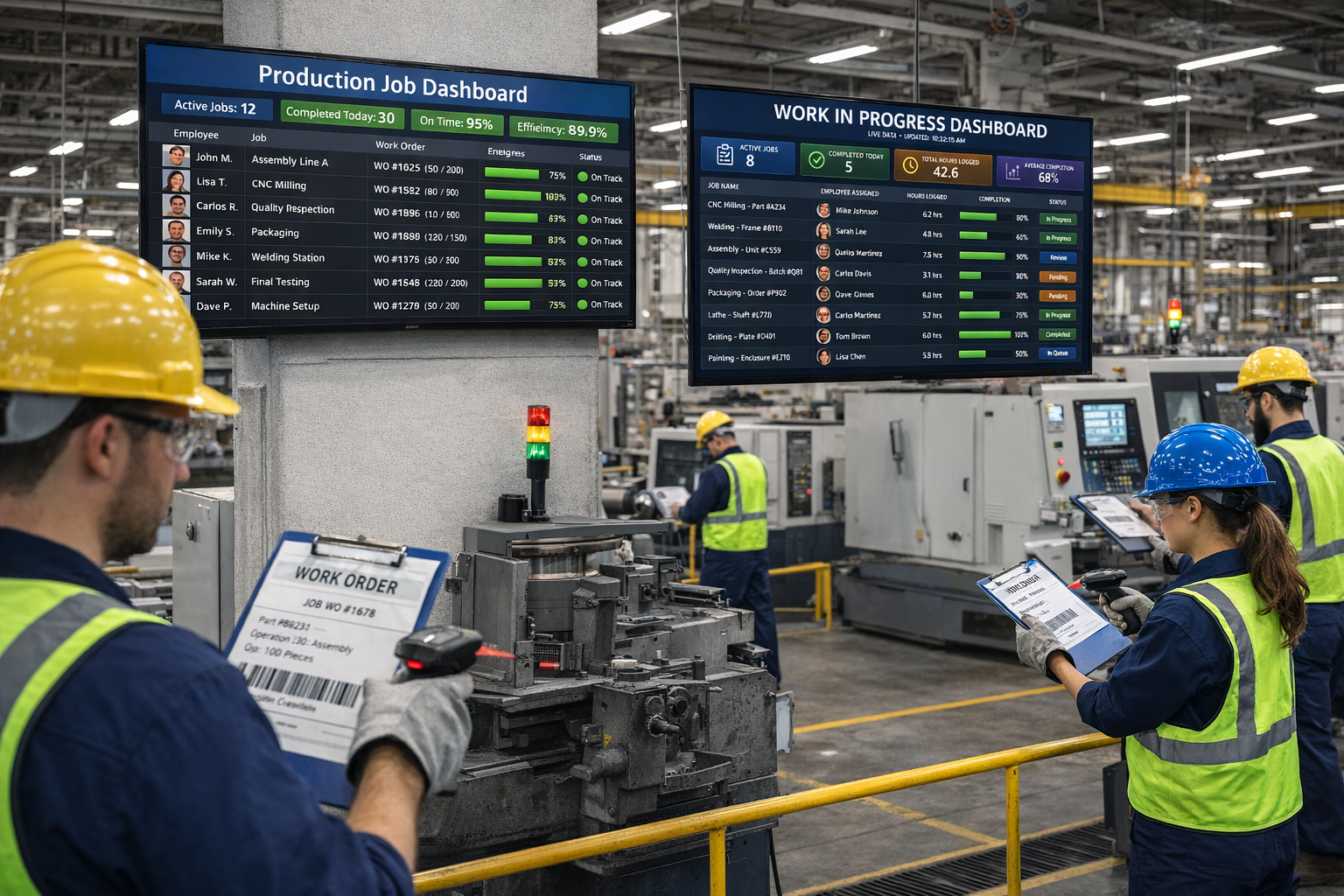
Clockify is a popular free time tracker built for freelancers and remote teams. Standard Time® is shop-floor software built for manufacturers — with barcode scanning, WIP dashboards, work order tracking, and job costing. Here's why the difference matters when you run a factory floor.
Clockify's free tier is genuinely free — but it's built for time logging, not shop floors. When you compare paid plans with manufacturing features, Standard Time® is cost-competitive.
| Plan | Per User / Mo | What's included |
|---|---|---|
| Standard Time® Pro | $8.99 | All features — barcode scanning, WIP dashboards, job costing, Gantt charts, AI scheduling, QuickBooks integration |
| Clockify Free | $0 | Unlimited users, basic time tracking and timesheets — no barcode scanning, no WIP, no work order tracking |
| Clockify Basic | $3.99 | Adds custom fields, project templates, time rounding — still no shop-floor features |
| Clockify Standard | $5.49 | Adds invoicing, expenses, project budgeting — aimed at client billing, not manufacturing |
| Clockify Pro | $7.99 | Adds forecast reports, labor cost tracking, scheduling — no barcode or work order support |
| Clockify Enterprise | $11.99 | SSO, custom subdomain, dedicated support — enterprise SaaS features, still no manufacturing capability |
The manufacturing features that matter on the shop floor — and which product actually has them.
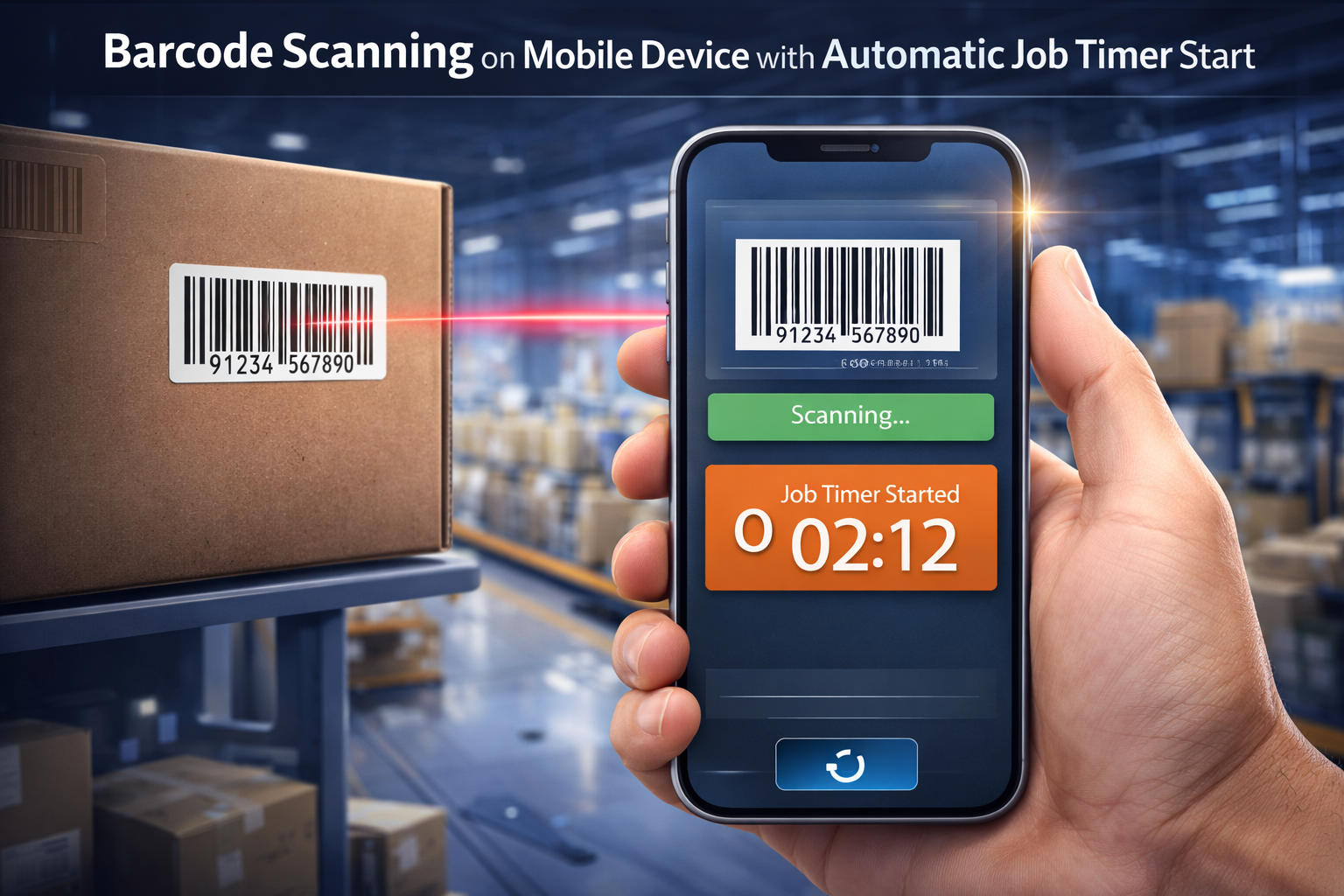
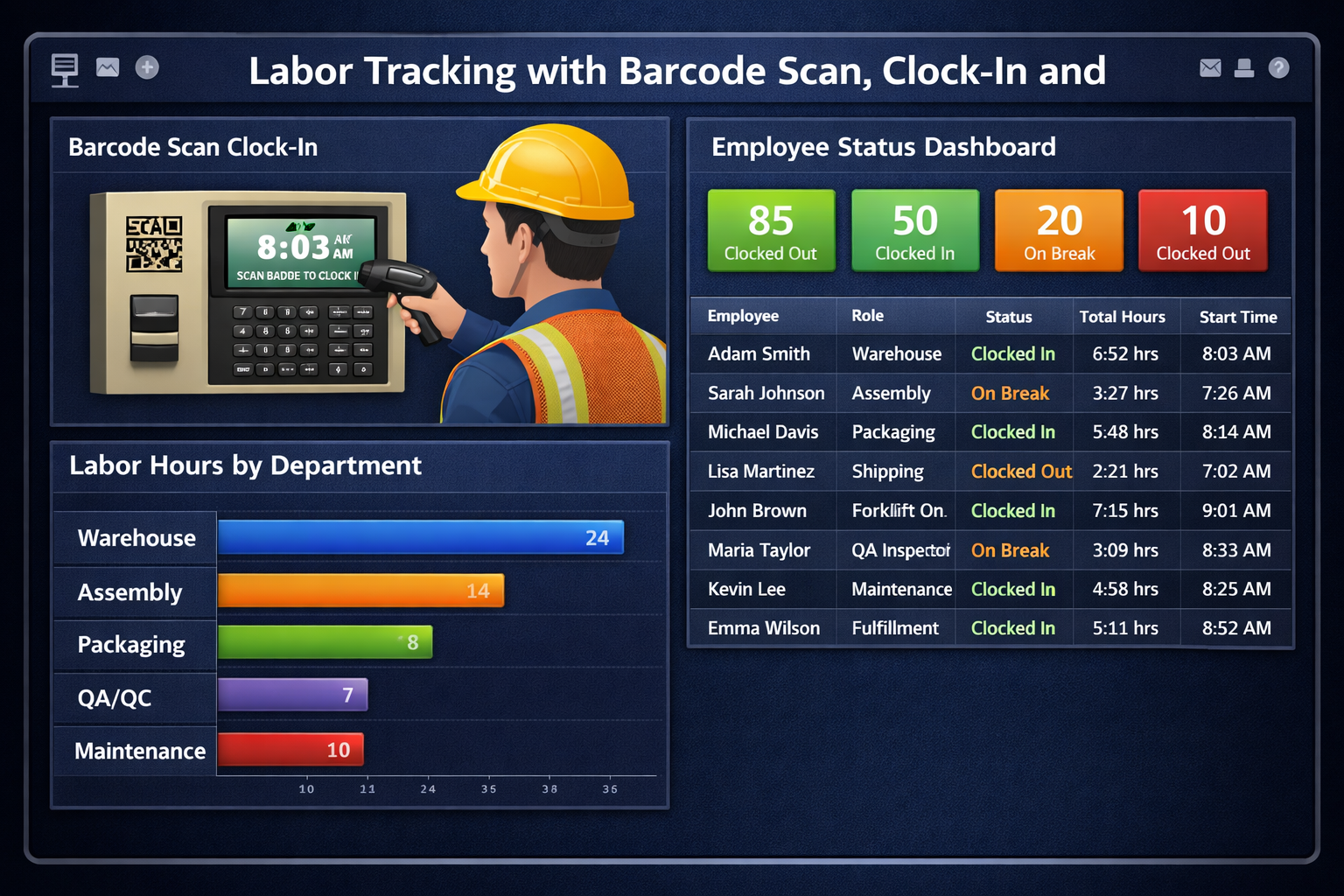
1D barcodes, QR codes, RFID tap, speech recognition, and camera scanning — out of the box, with no add-on required.
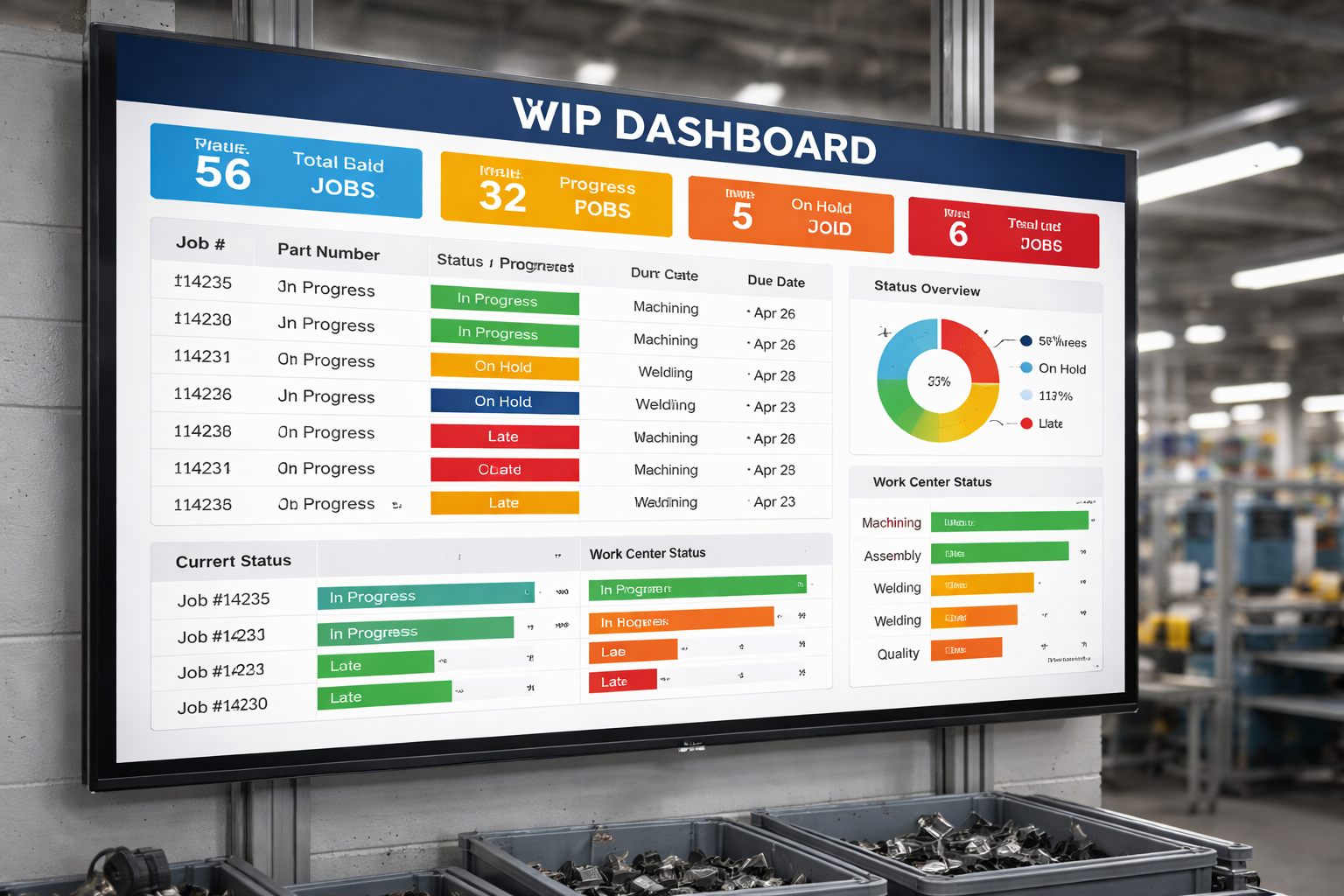
Live job status, employee activity, and KPI data displayed on wall-mounted screens. Clockify has no equivalent.
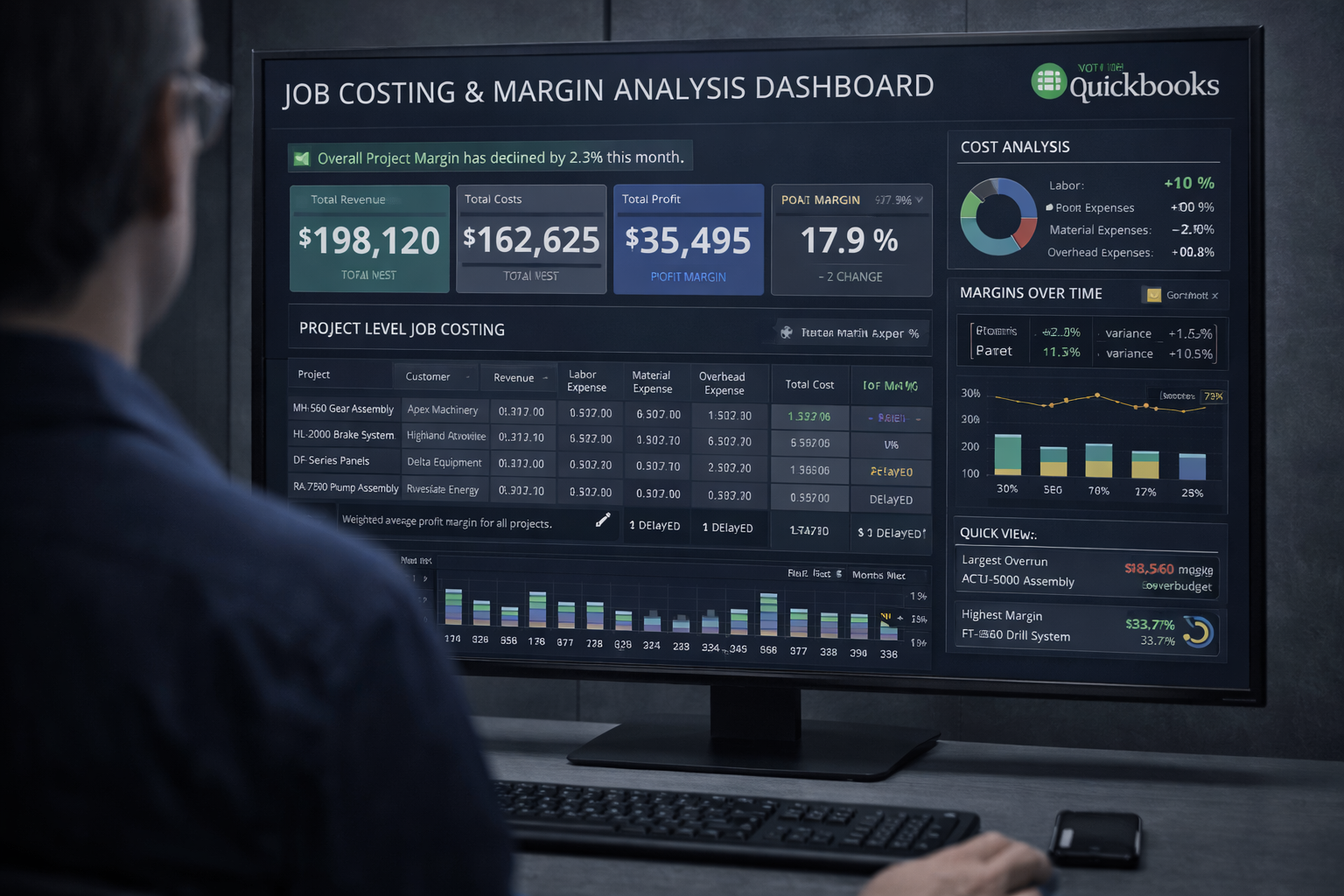
Actual labor cost flows from barcode scans directly into job cost reports — and syncs to QuickBooks automatically.
Time logs are tied to specific work orders and tasks — not just generic projects. Know exactly where every hour went.
Point any phone, tablet, or notebook camera at a barcode or QR code — or tap an RFID tag — and the timer starts instantly. This is how Standard Time® works on the shop floor. Clockify has no barcode scanning capability at any price tier.
Starting a job timer by scan
Scan the employee barcode, then the work order — the timer starts immediately. The screen confirms: Started: Work Order 10200, Weld. No typing, no menus, no delays.
Stopping the timer
Scan STOP and the timer stops. The screen confirms Timer stopped for Buzz. The time log is written — ready for job costing and QuickBooks sync.
Camera capture — use the on-board camera on any phone, tablet, or notebook to scan 1D barcodes and QR codes. No dedicated scanner hardware required.
RFID — tap an RFID tag to start or stop a timer. Attach tags to employee badges, work order travelers, or tool stations.
Voice recognition — speak the job number and the scanner hears it.
Clockify does not support barcode scanner input for time entry at any price tier. Employees must manually:
On a busy shop floor with 15–30 employees switching jobs throughout the day, manual time entry creates data gaps, delays, and inaccurate job costs.
Every barcode scan creates a time log entry tied to a specific work order and task — giving you the data you need for accurate job costing. Clockify tracks time against projects, but has no concept of work orders or manufacturing job cost.
Time logs by work order
Every time log shows the work order, task, start time, stop time, actual hours, and employee — grouped by job. Work order 10200 shows Weld and Bending time broken out by day and worker.
Weekly timesheet by project
The timesheet view breaks down every hour by work order and task across the week. This is exactly what job costing requires — knowing not just how many hours were worked, but where they went.
Both tools set up in hours — the difference is what you can actually do afterward.
Live in under one day. Barcode scanning, WIP dashboards, and QuickBooks sync all running.
Setup is very quick — but you're live on manual time entry only. Barcode scanning, WIP dashboards, work order tracking, and job costing aren't available regardless of plan.
Standard Time® was designed specifically for manufacturers. Clockify was designed for anyone who needs to log hours.
Clockify is a well-designed product for its target market: freelancers, agencies, consultants, and remote teams that need to bill clients for hours or manage timesheet compliance. The free tier is genuinely useful, and the SaaS integrations with tools like Jira and Asana are solid.
But manufacturers are running a different operation. You have work orders with multiple operations. You have employees switching tasks throughout the day on the shop floor. You need to know the actual labor cost of Job #10200 — not just that Ray worked 8 hours. You need a barcode scan to start a timer, not an employee opening a browser and typing a job name.
Standard Time® was built for exactly that environment. Barcode scanning, WIP dashboards, and job costing aren't features bolted on later — they're the core reason the software exists. And because it already integrates with QuickBooks Online, you get both time tracking and accounting sync in a single product designed for manufacturing.
Ready to Replace Generic Time Tracking With the Real Thing?
Standard Time® Pro is $8.99/user/month — barcode scanning, WIP dashboards, job costing, and QuickBooks integration included.
See Pricing & Plans Ask a Question