11 April 2026
Managing Projects in Standard Time Is as Easy as Using an AI Chat
You already know how to have a conversation. It turns out that's most of what you need to run projects in Standard Time® — set them up, assign work, and track progress without fighting your software.
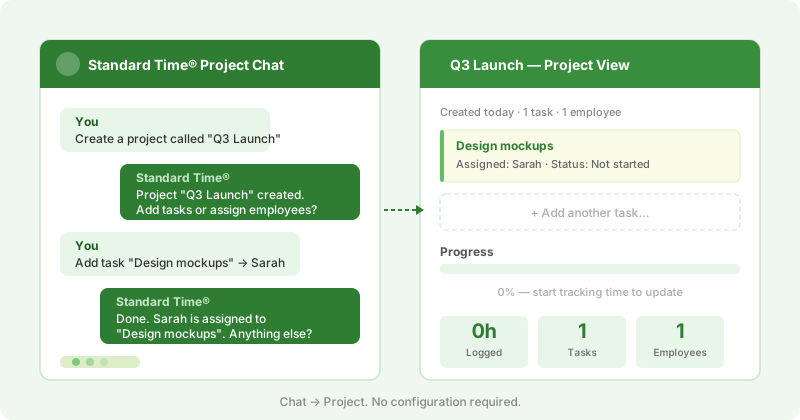
Modern project management should feel like a conversation, not a configuration exercise.
Why Project Software Usually Feels Hard
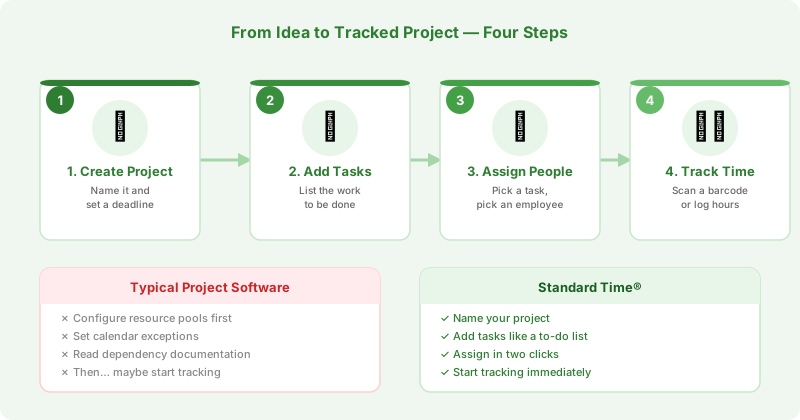
Most project management tools front-load the complexity. Before you can track a single hour of work you're configuring resource pools, setting calendar exceptions, and reading documentation about dependencies. Standard Time® takes the opposite approach — you start with the work itself, and the structure follows naturally.
Think of it like an AI chat: you don't configure the model before you ask a question. You just ask. Standard Time® works the same way. Create a project, add tasks, assign people, and start tracking. The software meets you where you are.
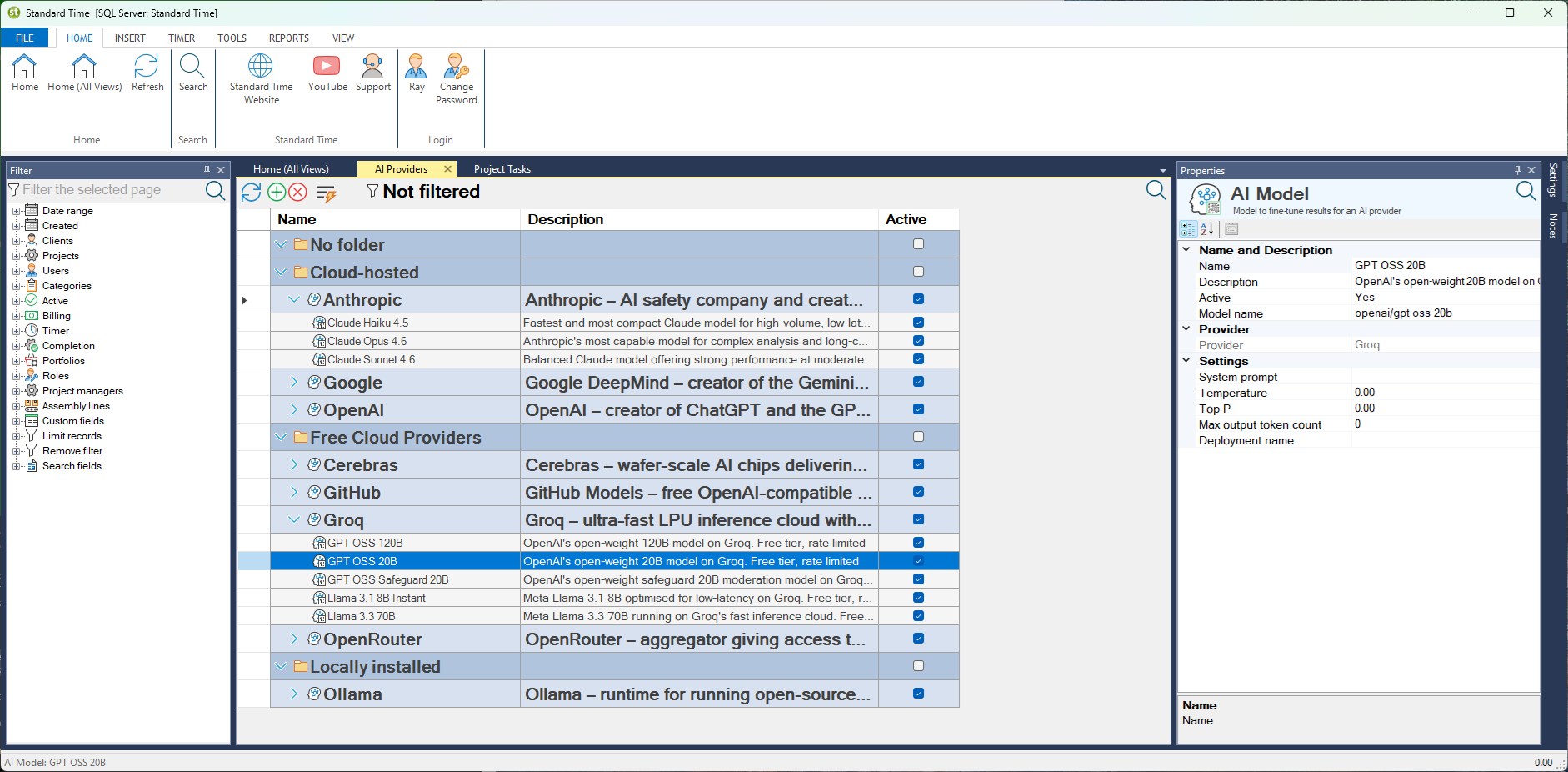
Screenshot: Creating a new project in Standard Time® — name it, set a deadline, and start adding tasks.
Setting Up a Project Takes Minutes
Open Standard Time®, create a project, and give it a name. Add tasks the same way you'd jot a to-do list. Assign each task to an employee. That's it — your project is live. Employees can start scanning barcodes or logging time against it immediately, with no approval cycle or administrator intervention required.
You can add due dates, budgets, and priority levels as you go. None of it is required up front. The project works even if it's just a name and a list of tasks — which is often exactly what a small job needs.
Assigning Work Feels Like Sending a Message
Assigning a task in Standard Time® is a two-step interaction: pick the task, pick the person. There's no resource leveling dialog, no availability calendar to consult, no drag-and-drop Gantt chart to untangle. If you want to reassign it later, that's another two clicks. The system keeps the history so you always know who touched what and when.
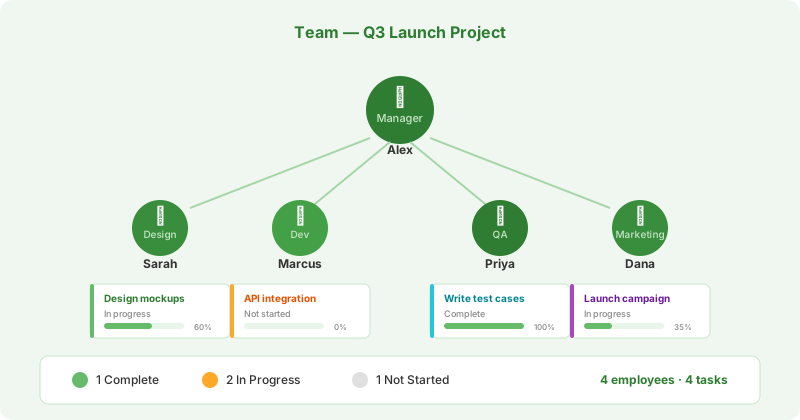
Assigning tasks and tracking progress should be as natural as talking to your team.
Progress Tracking That Updates Itself
When employees scan barcodes or log time, Standard Time® updates project progress automatically. Managers see a live view of which tasks are in progress, which are complete, and where time is being spent — without chasing down status updates or waiting for Friday's timesheet submissions.
The dashboard gives you the same kind of instant, always-current picture you get from an AI chat thread: you can scroll back through everything that happened, or just look at where things stand right now.
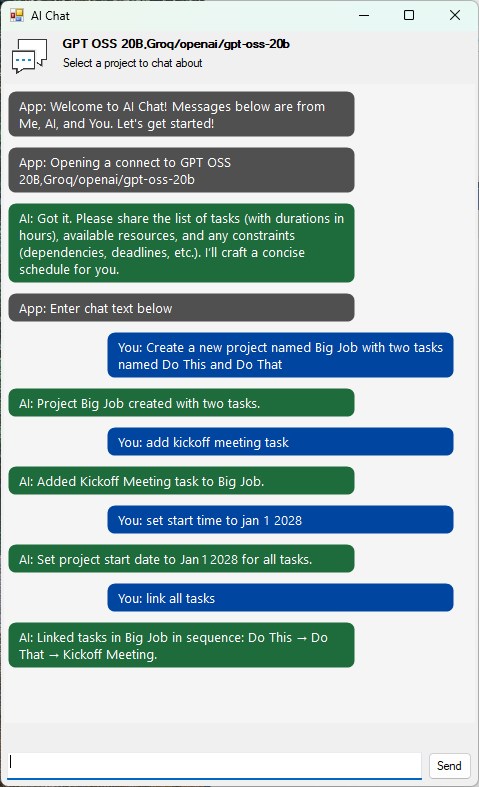
Standard Time® AI chat powered by Groq's GPT OSS model — accessed through an OpenAI-compatible client.
The Latest AI Models, Cloud-Based or Locally Installed
Standard Time® is built to work with today's leading AI models — whether you're running a cloud-based service or a locally-installed model on your own hardware. The software brings in whichever model fits your setup, so you're never locked into a single provider or forced to choose between capability and privacy.
Standard Time® uses OpenAI-compatible clients for its chat interface, which means it can connect to any model that speaks the OpenAI API — including hosted services, self-hosted models, and open-source alternatives. The screenshot above shows an example conversation using Groq's GPT OSS model, a fast open-source option that runs through Groq's inference API. Swap in a different model and the experience is identical — same interface, same workflow, different engine under the hood.
Just Say What You Want Done
Standard Time®'s AI chat understands plain English. Instead of navigating menus to build out a project, you type what you need and the software handles it. Tell it "Add a new task" and the task appears. Follow up with "Name it Research" and it's named. Say "Set start date to Monday" and the date is set. No forms, no dropdowns, no hunting for the right field.
Natural language works for relationships too. A phrase like "Link all the tasks in the research phase" wires up dependencies across the whole group in one step — something that would normally mean clicking through each task individually. The more you describe your project in plain terms, the more the AI can do in a single exchange.
Reports Without the Setup
Need to know how much time went into a project? Pull a report. Need to compare estimated hours to actual hours? That's built in. Standard Time® ships with the reports most managers actually need — project summary, employee time by project, task completion — so you're not building pivot tables from exported CSVs.
Like asking an AI a follow-up question, running a different report is just choosing a different view. The data is already there.
The Learning Curve Is a Single Conversation
New users are typically tracking time within the first session. There's no week-long onboarding, no certification course, and no need to read a 300-page manual. If you can describe what your project is and who's working on it, you already know enough to get started. Standard Time® does the rest.
Simple tools get used. Complex ones get worked around.